
Networking guide
Home Network Setup for Beginners: My Walkthrough
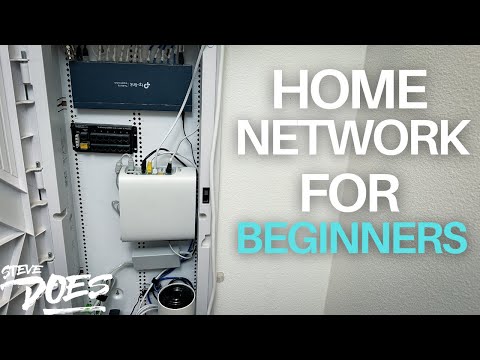
This is my hands-on beginner walkthrough for turning a jumble of cables and equipment into a working home network, from the incoming connection to the switch and devices in another room.
The main takeaway
Trace and label the connections before organizing the cabinet. The useful foundation is understanding the path through the router and switch, then connecting the rooms you actually use.
Best for
Beginners setting up or troubleshooting the home network.
Before you start
This adapts my original video and test. Check current specifications, firmware support and prices before buying older equipment.
Original video
2024-05-11
Focus
home network setup for beginners
Article type
Practical guide
What helps
- Physical setup shown step by step
- Explains room connections and switches
- Labels and organization make later changes easier
What to know
- My cabinet layout won't fit every house
- Shared uplinks have finite capacity
- Mounting and airflow need proper planning
Identify the incoming internet connection
In this May 2024 walkthrough, I started with the cable bringing service into the house, then worked through the equipment needed to distribute that connection. Your provider may use a modem, gateway or fiber equipment, so don't buy a cable modem simply because another home uses one. Identify the hardware already supplied and decide which unit is performing the routing role before changing connections.
Connect the router before the LAN switch
The router manages the home network in the setup I demonstrate. A switch on its LAN side adds wired ports for rooms and devices. Label the feed and room cables so you know where each goes before hiding them in the cabinet. If you keep a provider gateway and add another router, follow the provider's supported configuration; turning off Wi-Fi alone is not the same as bridge or passthrough mode.
A second switch can serve the office
I ran a room connection to an office switch so a computer and several smart-home hubs could share the same in-wall link. That is a normal reason to use another switch. The devices share the uplink's available capacity when they need it; merely connecting several quiet hubs doesn't permanently divide a gigabit link into equal slices. Choose the uplink and ports for the traffic the room actually generates.
Organize without making maintenance harder
The video shows the practical process of positioning hardware, grouping cables and getting everything connected. A neat-looking cabinet still needs adequate ventilation, secure support and room to reach plugs. Use the equipment's mounting instructions rather than assuming adhesive from my demonstration suits every device. Then test the wired connections and Wi-Fi in the rooms you use. For the definitions behind each box, the separate modem-router-switch article is the best starting point.
Technical references
More networking guides and reviews
Modem, Router and Switch: Home Network Basics ExplainedHome Network Cabinet Cleanup: My Fiber and Switch SetupI Finally Understand My Home NetworkCommon questions
Can I connect two switches together?
Yes. The downstream devices share the capacity of the uplink between them when traffic uses that path.
Should every home use the same modem as this walkthrough?
No. Match the internet access equipment to the provider and service type.
Watch the full walkthrough