How I put this Echo buying guide together
This shortlist draws on my Echo walkthroughs linked below: Echo Dot 5th generation, Echo Dot Max, Echo Show 5 2nd generation, Echo Show 8 3rd generation and the original Echo Show 15. Those videos show the hardware and software available when I recorded them. Current Amazon references are used to identify newer alternatives, not to imply that I tested every version. Room-based recommendations here are buying guidance, not a measured sound-quality ranking of all current Echo models.
Echo Dot vs Echo Dot Max: start here if you do not need a screen
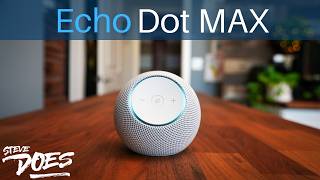
For timers, questions, announcements and basic voice control, start by comparing the price of the 5th-generation Dot with Dot Max. Choose the smaller expense if those simple tasks are the whole job. Consider Dot Max when music and the smart-home hardware matter enough to justify the difference. Amazon identifies Dot Max as a two-speaker design; that is a hardware distinction rather than a promise that every listener needs an upgrade. Watch my Dot Max walkthrough before deciding, and check compatibility with your particular accessories instead of assuming that every Alexa device has the same hub features.
Echo Show 5 vs Echo Show 8 vs Echo Show 15
Choose the size around viewing distance and available space. Show 5 is the compact option for close-up information on a bedside table. Show 8 is the middle ground to consider for a kitchen counter or desk. Show 15 makes more sense when a shared calendar or household information needs to be visible on a larger display. Before ordering, measure the available space, account for the power cable and confirm whether a stand or mount is included. Bigger is useful only if you will use the extra screen area.
The generation matters as much as the Echo name
Echo Show 5, 8 and 15 describe product families, not a single unchanging device. My Show 5 video covers the 2nd generation; the shopping alternative is the 3rd generation. My Show 8 video covers the 3rd generation; Amazon also offers a redesigned 2025 Show 8 and Show 11. My Show 15 video covers the original model; the linked shopping alternative is the 2nd generation. Amazon also lists Show 21 for a larger display. Compare exact release names, supported services and dimensions before buying. I have not treated these newer alternatives as additional hands-on winners.
When keeping your current Echo is the better purchase decision
Keep a working Echo if it already handles the routines, timers and music you use. Upgrade to solve a specific problem: you need readable information on screen, a different footprint, more suitable audio hardware or a particular compatible smart-home connection. Adding a screen just for occasional questions can be an unnecessary expense. Try the routines and tips guides linked from the Alexa hub first; a better setup may give your existing device a more useful role.
Check these details before buying
Read the exact generation and seller condition, especially when shopping for the older hardware in my videos. Check the return policy, included stand or mount and the services you actually use. Alexa features, Alexa+ availability and subscription terms can depend on region, account and model; confirm the current terms rather than buying for an assumed future feature. Prices change, so the shopping links lead to current listings instead of a permanent sale claim. Refurbished or older stock deserves a meaningful saving over a suitable newer model.
Frequently asked questions: which Echo is right for me?
Do I need an Echo Show for smart-home control? No: voice control does not require a screen, although a display is useful for compatible camera views and visual information. Is a bigger Show automatically better? No: match its size to viewing distance, placement and the tasks you use. Should I replace every older Echo? No: keep devices that still do their job, and check support for the specific feature you need. Does my old video match a new Echo with the same name? Not necessarily; use the generation labels in each linked guide.
Some buying links may earn SteveDOES a commission. Rankings are based on editorial judgment and are not sold to brands.
 For simple voice tasks01